Apple HomeView for Renters: What Apple Announced (and the No-Drilling Question)
Picture this: you buy Apple’s brand-new smart-home hub, unbox it in your rental, and then read the wall-mount instructions. Screws. Wiring. A separate mount you have to buy. That is the exact trap renters need to avoid, and it is the first thing to know about Apple’s big smart-home launch.
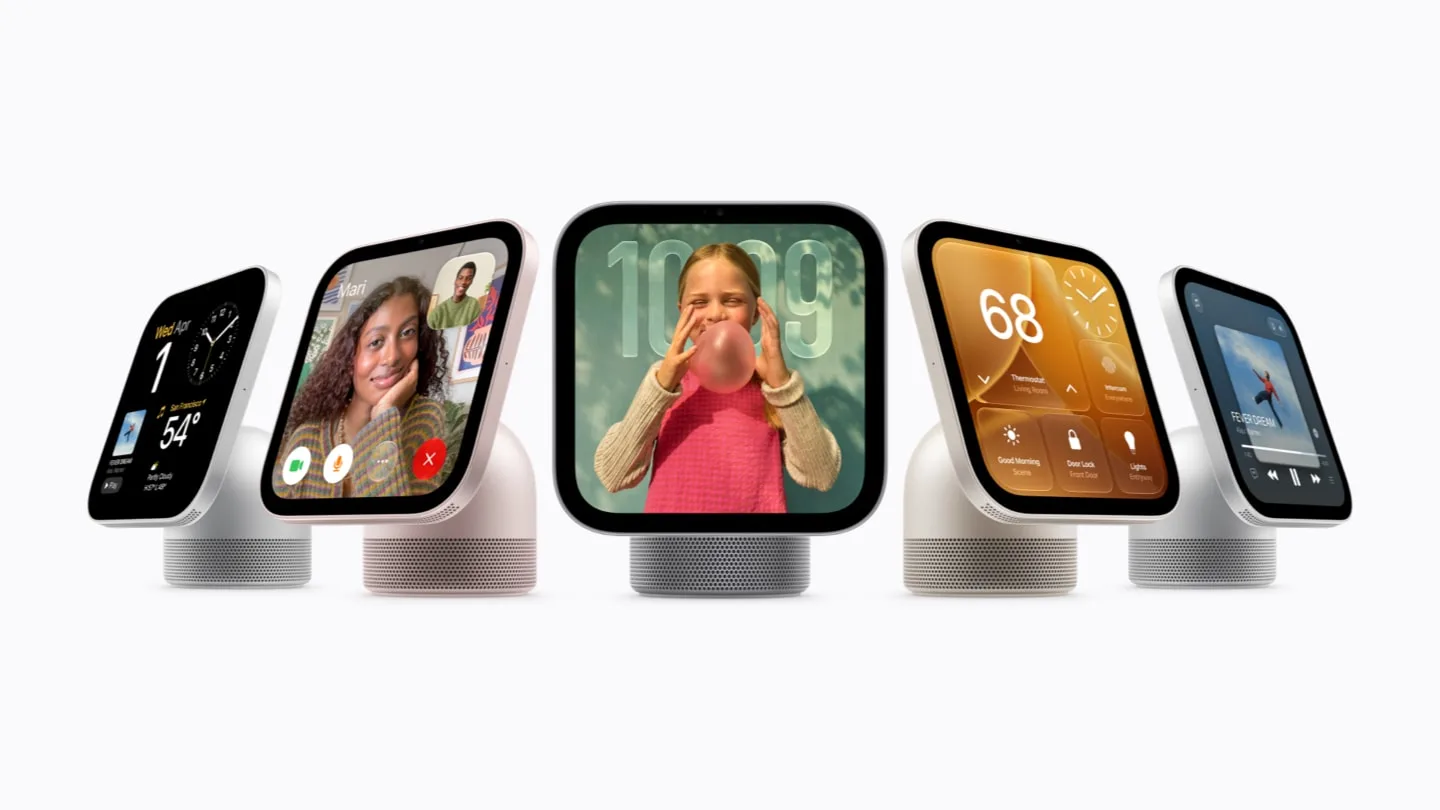
On October 13, 2026, Apple held its “Welcome home” event in New York and announced the HomeView, its long-rumored smart-home hub. The press had nicknamed it “HomePad” for months (Apple’s internal codename was J490), but HomeView is the official name. The specs are finally real: a 7-inch touchscreen, the A18 chip with 8GB of RAM, a rebuilt Siri, and a $299 price tag. It went on sale November 13.
But the detail that matters most for renters is the mount. Before the event, reports said one of the two versions would attach to the wall with a magnetic mounting system. That rumor was wrong. The wall-mount version needs separate Schneider Home Power Mounts, and all three options are wired. Translation: screws and wiring, the two things renters try hardest to avoid.
This guide breaks down what Apple actually announced through a renter’s lens: which version fits a rental, what the privacy features mean in a shared apartment, and whether the desktop model earns its counter space.
New here? Start with our Renter-Friendly Smart Home: The Complete Starter Guide; this article is part of that series.
What Apple Actually Announced on October 13
Here is the confirmed lineup from the “Welcome home” event, hype removed:
- HomeView: Apple’s smart-home hub with a 7-inch touchscreen (1088×1088 resolution, 500 nits peak brightness, True Tone, oleophobic coating). Powered by the A18 chip with Apple Intelligence and a rebuilt Siri.
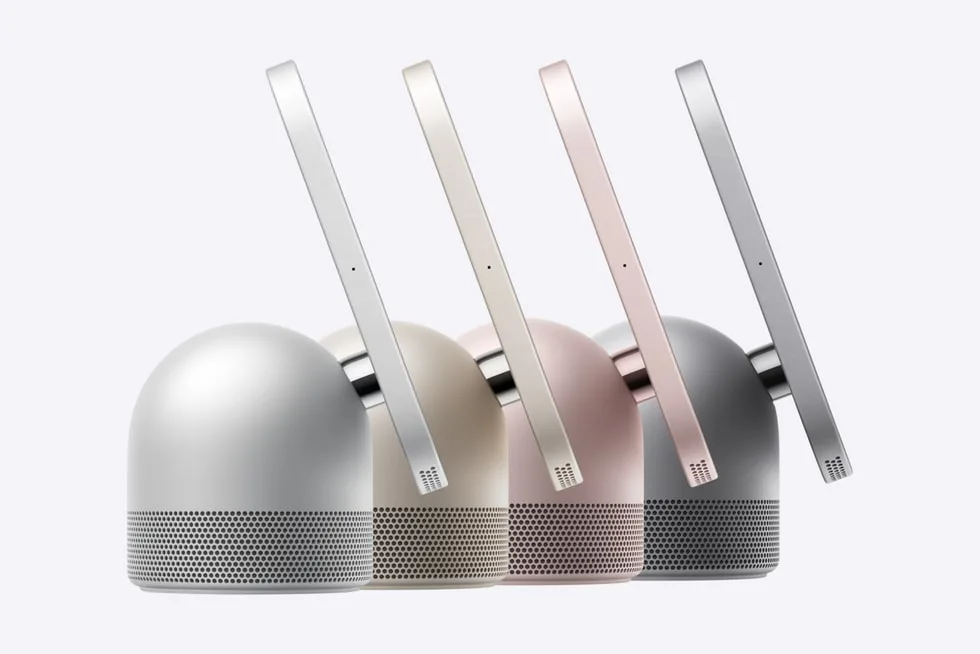
- Two versions: a desktop model with a floating display on a rounded aluminum base and tilt hinge, and a wall-mount model. Desktop colors: Silver, Starlight, Rose Pink, Space Gray. Wall-mount: Silver and Space Gray only.
- Face recognition for up to 6 household members. Recognized users see their own messages, emails, and calendars, and only when their paired iPhone is nearby and unlocked. Shared photos and music stay available to everyone, with per-user widgets.
- Smart-home radio stack: Matter controller plus Thread Border Router, with Wi-Fi 6, Bluetooth 6.0, and Thread built in.
- 12MP ultra-wide camera with Center Stage for video calls, plus smoke and CO alarm sound recognition.
- Built-in temperature and humidity sensors on both versions, listed in Apple’s tech specs alongside the ambient light sensor and accelerometer. The LG and Schneider thermostats can read from these sensors (and from HomePod and HomePod mini), so a thermostat upgrade does not need extra wall sensors. Apple rates accuracy for 59-86°F and 30-70% relative humidity; the sensors need a short calibration after startup, and accuracy dips when HomeView plays audio at high volume for a long time.
- Before-you-buy checklist: you will need iOS 27.2 or iPadOS 27.2 or later plus Wi-Fi, and the new Siri AI is English-only at launch.
- Price: $299 for both versions (Apple’s official price). Pre-orders are live in the US, UK, Canada, Australia, New Zealand, India, and Singapore (South Africa through resellers). It went on sale November 13, 2026. No EU launch yet: Apple says Siri AI is not available there and it is working with EU regulators.
- HomePod mini 2: $149 with the S10 chip, new colors (pink, blue, green, white, midnight), and a Sound Glow light. Shipping now. Note: the new Siri AI arrives later via software update, not at launch. Early hands-on reports call it a capable Matter/Thread hub.
- Apple TV 4K (2026): $299 with the A19 chip and hands-free Siri. Ships November 13.
One thing Apple did not name: the operating system. Reports called it “homeOS,” but Apple never confirmed that name, so treat it as a nickname for now.
Setup details from early software tours: the HomeView launched November 13 running the older 26.5 software, and setup prompts an update to 27.2. It connects over Wi-Fi only and supports up to 6 users, with face recognition personalizing content for each person. For renters, Wi-Fi only is good news: no ethernet cable to run and nothing to drill.
Apple HomeView at a Glance: the Short Summary
Short on time? Here is the whole announcement in one paragraph. Apple HomeView is a $299 smart-home hub with a 7-inch touchscreen, an A18 chip, and a rebuilt Siri with Apple Intelligence. It comes in two versions. The desktop model costs $299 with everything in the box: it sits on a counter and plugs in over USB-C. The wall-mount model also costs $299, but the mount ($59.95 and up) and power adapter are sold separately, and it needs screws, wiring, and usually landlord approval. Both went on sale November 13, 2026. For renters, the desktop version is the one that matters: no drilling, no wall hardware, no lease conversation.
The Renter Question: The Wall-Mount Needs Screws and Wiring
Here is the correction that matters most. Before the event, reports described a magnetic wall-mount system, and the pre-event version of this article speculated about adhesive plates and fridge mounting. That speculation is now dead. Apple confirmed the wall-mount version requires Schneider Home Power Mounts sold separately, and all three options are wired:
- Power Mount USB-C Wall Connector: $59.95
- Power Mount AC Wired: $79.95
- Power Mount PoE Wired: $129.95 (early 2027)
The wall version also needs a 20W or better power adapter and a USB-C cable, and neither is included. The real cost of the wall version is $299 plus at least $59.95 for the mount plus the adapter, and none of it works without landlord approval. That extra spend is one more reason the desktop model is the renter pick.
| Desktop (renter pick) | Wall-mount | |
| Device price | $299 | $299 |
| Mount | Tilt base in the box | $59.95 and up, sold separately |
| Power adapter and cable | Included (30W plus USB-C) | Not included (needs 20W or better) |
| Installation | Plug into an outlet | Screws and wiring; pro install for the AC route |
| Landlord | No conversation needed | Permission usually required |
| Move-out | Unplug and pack | Patch holes, possible repaint |
| True starting cost | $299 | About $360 before any install help |
Need written landlord permission for the wall route? Our free permission letter generator builds a professional request in under a minute.
Wired mounts mean screws in the wall and electrical work. For most renters, that is an instant no. It needs landlord approval at minimum, and in many leases it is simply not allowed.
The takeaway is blunt: the wall-mount HomeView is not a renter device. Do not buy it hoping for a drill-free surprise. Apple showed exactly how it mounts, and it involves hardware your lease almost certainly restricts.

The Desktop Version Is the Renter Pick
How to Buy the Right Model
Apple sells two HomeView models and they are not interchangeable. Both cost $299. The countertop model comes with everything in the box: a tilting display on a domed speaker base, a color matched cable and a 30W power adapter, and it plugs in over USB-C. It has no battery, so it stays where you plug it in. The wall-mounted model also costs $299, but the mount and power are sold separately. A Schneider Home Power Mount USB-C Wall Connector starts at $59.95 and an AC Wired mount starts at $79.95, and you also need a 20W or better adapter and a USB-C cable. The Power over Ethernet mount costs $129.95 and arrives in early 2027, so a PoE setup is not a launch day option. Both run the same software, so there is no feature or update difference between them. The difference is only power and mounting. Before you buy, check which model the listing is: the countertop model has the speaker base in the box, and the wall model is a flat display only.
For renters, the PoE model has a hidden cost. A PoE mount needs an Ethernet run back to your network gear, which runs roughly $150 to $400 per run, plus another $100 to $250 if you need a PoE switch. That is drilling and wiring in a home you do not own, and it is the clearest reason the countertop model is the renter pick. One more practical note: Aqara makes a PoE power kit that also works with the HomeView PoE, and a wall-mount USB-C connector that works with the countertop model, but never put the PoE model on the USB-C connector. And two warnings worth remembering: never leave the PoE model on a USB-C charger indefinitely because heating can become a problem, and hard-reset a used PoE unit before you swap it into a new setup.
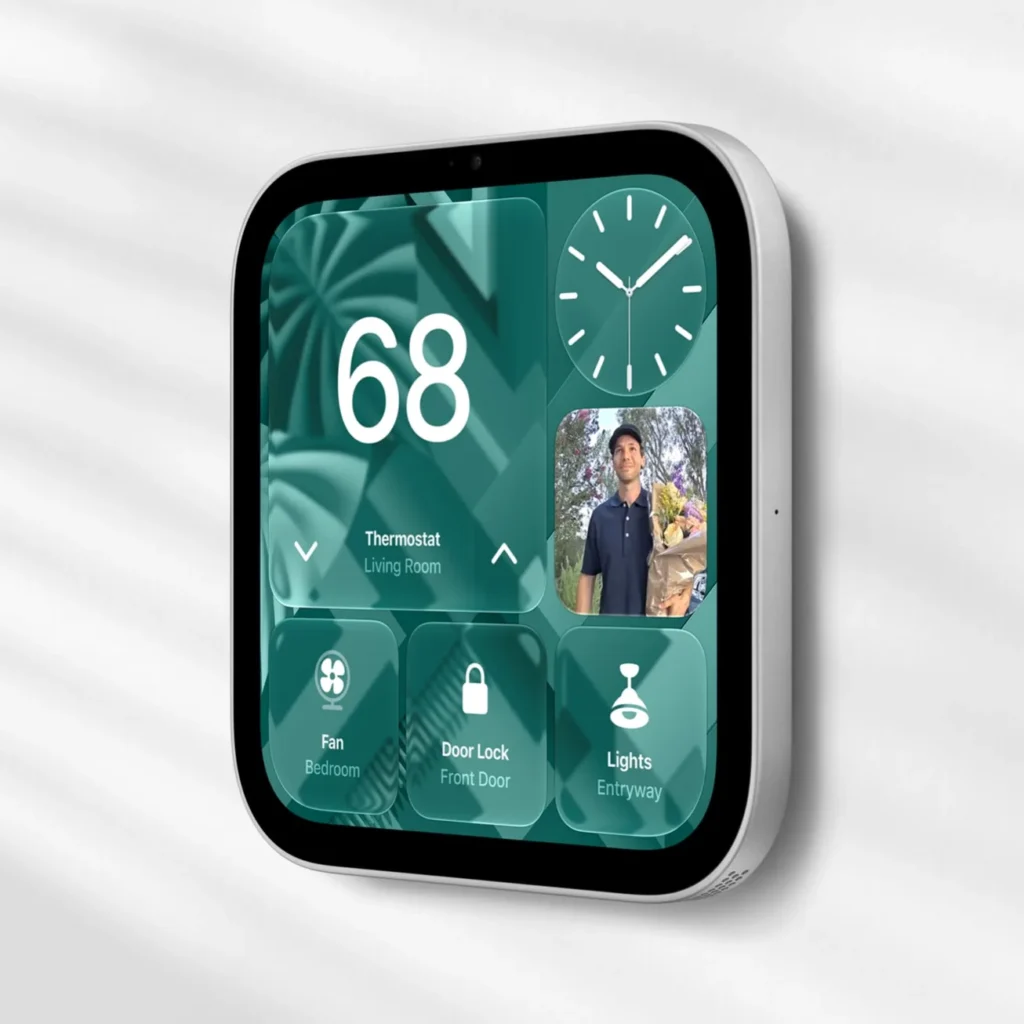
Source: CNET, “Interested in Trying Apple’s HomeView? Make Sure You Buy the Right Model,” October 20, 2026. Read the CNET article.
With the wall version off the table, the desktop model becomes the obvious and only renter choice. Here is why it works:
- Zero wall interaction. It sits on a counter, shelf, or nightstand. No mount, no holes, no landlord conversation.
- Small-apartment friendly. A 7-inch floating display fits where an Echo Show or Nest Hub fits: kitchen counters, entryway tables, bedroom dressers. It plugs in over USB-C (matching cable included), so just keep it within cable reach of an outlet.
- It moves with you. Unplug, pack, done. The whole point of renter-friendly gear.
- It doubles as a thermostat room sensor. The built-in temperature and humidity sensors mean the desktop HomeView can feed an LG or Schneider thermostat from the room it sits in. No extra wall gadget to buy, mount, or explain to a landlord.
- It does the fun stuff too. Video calls with Center Stage, intercom between rooms (handy if you ever add a second one), kitchen duty like recipes and videos. One hands-on note: video watching runs mostly through the Safari browser with black bars around shows, so do not expect the native streaming apps you are used to. In a small rental kitchen, that still earns its counter space.
Same brain, none of the lease drama. For renters, the desktop HomeView is the only version worth considering.
What the Code Hints At (Not Announced Yet)
Code found in early HomeView software hints at features Apple has not announced yet: groundwork for chatbot apps, anti-spoofing protection for face recognition, a lockout system that waits longer after each wrong passcode. The first attempt clears right away, the second after one hour, the third after four hours, and the fourth after eight hours. A camera view shows nine live feeds at once, with people, pets, packages and vehicles recognized through iCloud+. None of it is confirmed or promised for launch day.
The Privacy Angle Renters Should Think About
Apple confirmed face recognition for up to six people in the household, so this section is about real features now, not rumors. In a shared apartment, that is a privacy question, not just a feature:
- Roommates: the hub recognizes each person and shows personal info, messages, emails, and calendars only to the recognized user, and only when their paired iPhone is nearby and unlocked. That is a thoughtful design for shared homes. Still, think about placement. A camera in a shared living room sees everyone.
- No physical privacy switch. Hands-on reviews found no hardware switch to disable the camera or mic, which is odd for a company that markets privacy. In a shared apartment, that means placement and the software mute controls have to do the work a switch would do.
- Ring and Nest doorbells are not compatible with the Home Camera face (up to 9 camera feeds on one screen). Only HomeKit and Matter cameras work there. That matters for renters because many rentals already have a Ring or Nest on the door.
- Guests and landlords: shared iCloud photos and music stay available to everyone, which is fine for a party but worth knowing. A camera or always-listening mic in a rental raises the same questions our indoor camera mounting guide covers: consent, shared spaces, and what the lease says about recording.
- Move-out: any device that learns your household needs a proper factory reset before it goes to the next apartment or the next owner. Wipe it like you would a phone.
One thing still unconfirmed: a dedicated visitor mode. Apple described per-user recognition, but a formal guest mode with locked-down access was not announced. Do not assume it exists until Apple says so.
Apple’s privacy marketing is strong, and the recognition design (personal data only with your iPhone nearby and unlocked) is genuinely reassuring. But placement still matters. A face-recognizing screen belongs in your bedroom or home office, not the shared living room, until you have talked it through with roommates.
The Apple Home Collection: A Roadmap, Not a Shopping List
The hub is just the start. Apple also announced the Apple Home Collection, accessories co-developed with LG and Schneider Electric, all Matter and Thread compatible:
- Video doorbell: $249.95 (wired)
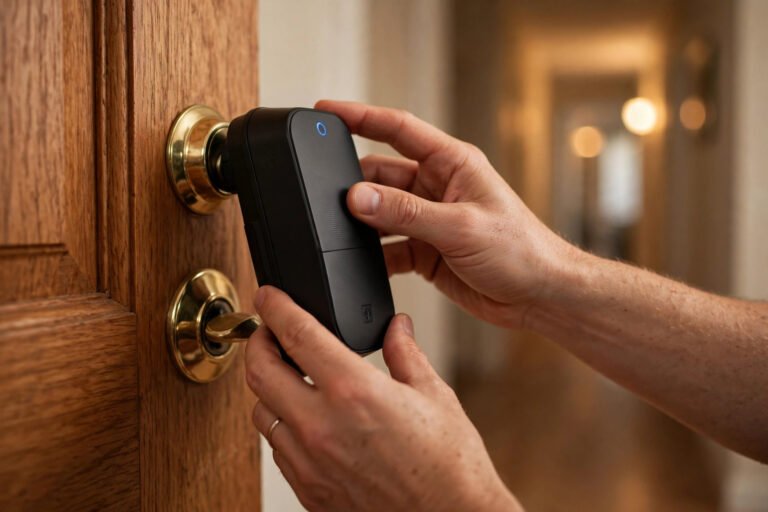
- LG Smart Deadbolt: $349.95. US and Canada only, on sale December 2026. It replaces your existing deadbolt, which almost always needs landlord permission.
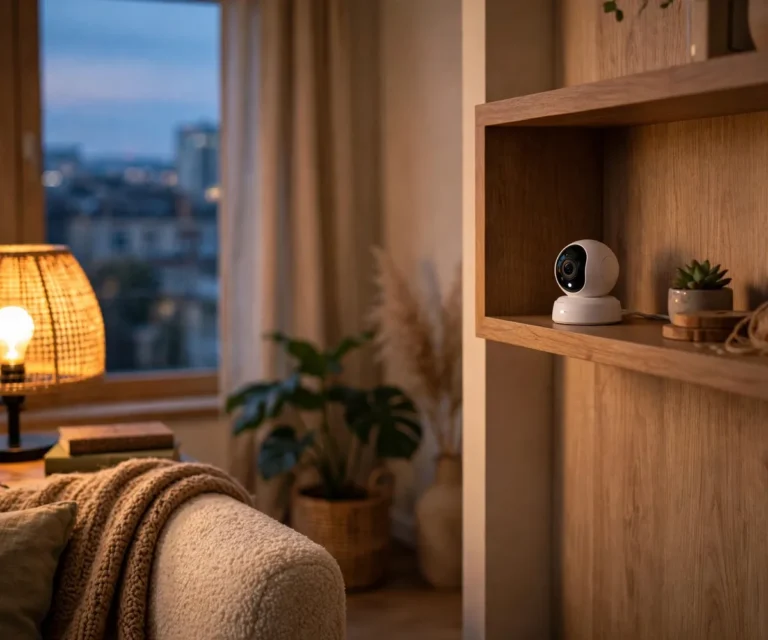
- LG Indoor Cam: $199.95. It tilts its lens away when someone is home (a geofencing privacy feature), a nice renter detail.
- Outdoor camera: $300
- Floodlight camera: $400
- Apple also confirmed how iCloud+ storage ties to cameras: the 50GB plan supports 1 camera, 200GB supports 5 cameras, and 2TB supports unlimited cameras. Compatible cameras keep 10 days of event video history in iCloud+, and Apple Intelligence can search your footage with natural-language queries.
- Thermostats (LG and Schneider): $199.95 each. They can pull temperature and humidity readings from sensors built into HomeView, HomePod, and HomePod mini, with on-device Adaptive Temperature that adjusts based on whether someone is home, winding down, or away.
- Temperature and humidity sensors: $39.95 each (LG and Schneider Home)
These start arriving in December 2026, stretching into early next year. For renters, the two to watch are the video doorbell and the smart deadbolt. Both land squarely in the territory our smart lock permission guide covers. If Apple and its partners nail the no-drilling story on the deadbolt, the ecosystem gets very interesting for rentals. One regional note: the full lineup launches in the US and Canada in December, but the UK is only getting the indoor and outdoor cameras plus the video doorbell. The smart lock and thermostats are not coming to the UK.
So which of these should renters actually care about? The indoor cam is the easy one. At $199.95 it sits on a shelf like a small lamp, no mounting needed, and the lens turns away when you’re home. Pricey, but the no-drill story is solid.
The $300 outdoor cam is workable but not effortless. It’s plug-in, so no hardwiring, but you still need an outdoor outlet and a drill-free spot to put it. If that’s a problem, a battery camera like the Blink Outdoor 4 is the simpler renter move.
The wired video doorbell ($249.95) is a skip for most renters. It replaces your existing wired doorbell, which puts you in landlord territory. The same logic kills the $400 floodlight cam: wired, replaces a light fixture, not worth the conversation.
The $349.95 smart deadbolt is the interesting one, but it swaps out your deadbolt outright. Read our smart lock permission guide before you even think about it.
Thermostats ($199.95) and sensors ($39.95)? Depends on whether your rental lets you anywhere near the HVAC. Many don’t.
For now, treat the Collection as a roadmap. Do not plan purchases around products with no ship date.
Pre-orders for the first accessories opened November 13, with availability from December. Prices start at $199.95 for the LG Indoor Cam, and the LG Smart Deadbolt is $349.95. The deadbolt is a full replacement, not a retrofit, so it is not a renter pick.
What the First Reviews Say
The first reviews landed November 12. Engadget scored it 8.4 out of 10, praising the sound and design. TechRadar gave it 4 out of 5 after eight days of testing. Tom’s Guide was more critical, saying Siri still trails Alexa and the face-tracking display is less flexible than an Echo Show 8. CNN Underscored’s reviewer said he would not spend his own $299 on one. For renters, two review findings matter most. First, personal content like messages and calendar needs an unlocked iPhone or iPad nearby. Second, there is no App Store at launch, only pre-installed Apple apps plus CarPlay-enabled audio and video apps such as Spotify, YouTube and Netflix.
One important launch-day fact: Siri does not unlock smart locks or garage doors by voice yet. At launch, Siri refuses the request, and Apple has confirmed a fix in a December software update. Until then, locks and garage doors open only by tapping in the Home app.
Should Renters Buy the HomeView?
The event is over, so the old advice (“wait until October 13”) is retired. Here is the current buying logic for renters:
- Desktop version at $299: reasonable if you want a smart display and you are in Apple’s ecosystem. It is drill-free by design, which is the whole renter test. It is on sale now. It is also the cheapest way to get the new Siri AI at launch (versus an iPad plus speaker combo).
- Wall-mount version: skip it. The mounts cost extra, need wiring, and need landlord approval you probably will not get.
- If you already own an Echo Show or Nest Hub: no rush. Wait for reviews of the new Siri’s actual home-control ability, and check that your existing gear (lights, plugs, locks) plays nicely with Matter and Apple’s ecosystem first.
- The Siri question is still open. The new Siri with Apple Intelligence is the actual product here, and the HomePod mini 2 will not even have it at launch (it comes later via update). If Siri’s home control turns out to be genuinely good, it changes the “which assistant” math for everyone. If not, your current setup is fine.
Short version: the desktop HomeView passes the renter test. Everything else can wait for reviews.
FAQs
Is the Apple HomeView available yet?
Pre-orders are live in the US, UK, Canada, Australia, New Zealand, India, and Singapore (South Africa through resellers). It went on sale November 13, 2026. No EU date has been announced.
What is the difference between HomeView and HomePad?
They are the same product. “HomePad” was the press nickname used for months before launch (Apple’s internal codename was J490). The official name is HomeView.
What is Apple HomeKit?
Apple HomeKit is Apple’s smart-home platform. It is the software layer that lets an iPhone, iPad, or Apple Watch control compatible lights, locks, cameras, and thermostats from the Home app or with Siri. A device needs the “Works with Apple HomeKit” label to connect. The HomeView is the dedicated display that puts that control on your wall or countertop, so the whole household can use it without passing a phone around.
Will the HomeView work in a rental without drilling?
The desktop version will. It sits on furniture and plugs in over USB-C. The wall-mount version needs separate Schneider Home mounts with wiring, so it is not renter-friendly.
How much does the HomeView cost?
$299 for either version. The wall-mount hardware costs extra ($59.95 to $129.95 depending on the mount), plus a 20W or better adapter and USB-C cable that you supply yourself. The $299 price tag does not cover everything. Some Siri AI features that rely on server-side models have daily usage limits, Apple says expanded access will be offered later at a price it has not named yet, and the advanced home-security features need a compatible camera and a qualifying iCloud+ plan, so the real cost of a full setup can run past $299.
What colors does it come in?
The desktop model comes in Silver, Starlight, Rose Pink, and Space Gray. The wall-mount model comes in Silver and Space Gray only.
Will it work with my non-Apple smart home gear?
Yes, if your gear supports Matter. The HomeView is a Matter controller with a Thread Border Router, so most modern renter-friendly devices (bulbs, plugs, locks) should work regardless of brand.
What about privacy with roommates?
The HomeView recognizes up to six household members and shows personal info only to the recognized user, and only when their paired iPhone is nearby and unlocked. A formal visitor mode was not announced, so do not assume one exists.
I already have an Echo Show or Nest Hub. Should I switch?
Not yet. Wait for reviews of the new Siri, confirm your devices work with Matter, and check the mounting situation first.
Can guests use the HomeView without an iPhone?
Yes, for the basics. Apple describes basic shared use for guests and unrecognized people: anyone in the room can use shared controls, timers, and household info on the screen. The personal side is separate. Seeing your own messages, calendar, and personal Siri results needs an enrolled iPhone with Apple Intelligence, plus face recognition. So in a shared apartment, a roommate with an Android phone can still check the front-door camera or turn off the living-room lights from the HomeView, but your personal notifications stay yours. Set expectations before you buy: it is a shared screen first and a personal assistant second.
Can the HomeView double as a security camera?
Code found in HomeView Software 27.2 describes a mode that turns the HomeView into a HomeKit Secure Video camera, with motion detection, live streaming, and recording. Apple has not announced this feature, so it may or may not be available on launch day. For renters, the appeal is obvious: a countertop display that doubles as a security camera means one less device to buy and nothing to mount. For a camera at your door, see our peephole camera vs video doorbell comparison and our video doorbell picks for apartments.
Should renters get the countertop or wall-mounted HomeView?
Get the countertop version. It sits on a table or shelf with its included stand and power adapter, so there is nothing to drill and nothing to ask your landlord about. The wall-mounted version needs screws, a separate mount ($59.95 and up), and a 20W+ power adapter that is not in the box, plus you will be patching holes when you move out. For a rental, that is all cost and no benefit.
The Bottom Line
For renters, the HomeView story turned out simpler than the rumors suggested. The magnetic wall-mount was fiction; the wall version needs wired mounts and landlord approval. The desktop version, at $299, is the real renter device: no drilling, no wall hardware, no lease conversation. It sits on your counter, plugs into an outlet, and moves with you to the next apartment.
My honest take now that the facts are in: if you want an Apple smart display and you rent, the desktop HomeView is an easy yes on the hardware question. The open question is the software, specifically the new Siri. Wait for early reviews before pre-ordering, keep the return window in mind, and put it somewhere your roommates are comfortable with the camera. Your lease will thank you for skipping the wall mount.
One Comment