Best Smart Plugs for Renters (2026 Buying Guide)
Last updated: October 10, 2026
Quick Answer
The TP-Link Kasa EP25 is the best smart plug for most renters in 2026. It is small enough to leave the second outlet free, tracks energy use in the Kasa app, and works with Alexa, Google, and Apple Home without a hub. A two-pack usually costs around $25 to $30. On moving day, unplug it and take it with you.
Intro
Many smart home guides assume you own your place. Rewire this switch, they say. Call an electrician, they say. Easy advice when it is not your deposit on the line.
Renters live by different rules. No drilling, no rewiring, no permanent changes. And whatever you buy has to survive the next move.
A smart plug is the rare gadget that respects all of that. It slides into a regular outlet, no tools and no wiring. Your lamp, fan, or coffee maker gets schedules and voice control through an app. Nobody needs to approve it. And on moving day, it comes with you in a shoebox.
Below are the best smart plugs for renters in 2026, picked for tight apartment outlets, simple setup, and zero lease drama. You will also find which appliances to never plug in, how to handle tricky apartment Wi-Fi, and a five-minute reset checklist for when you move.
New here? Start with our Renter-Friendly Smart Home: The Complete Starter Guide.
What Makes a Smart Plug “Renter-Friendly”?
Not every smart plug deserves a spot in a rental. Here is what separates the renter-friendly ones from the rest.
No wiring, no tools. A smart plug slides into a regular outlet. A smart switch, by contrast, replaces the switch inside your wall, which means turning off breakers, handling wires, and usually asking your landlord first. Plugs skip all of that. If you can plug in a phone charger, you can install a smart plug.
It moves when you move. Unscrew nothing, patch nothing, explain nothing to your landlord. On moving day the plug comes out of the wall and goes into a box. At the next apartment it takes thirty seconds to set up again, especially if you keep the same Wi-Fi name and password.
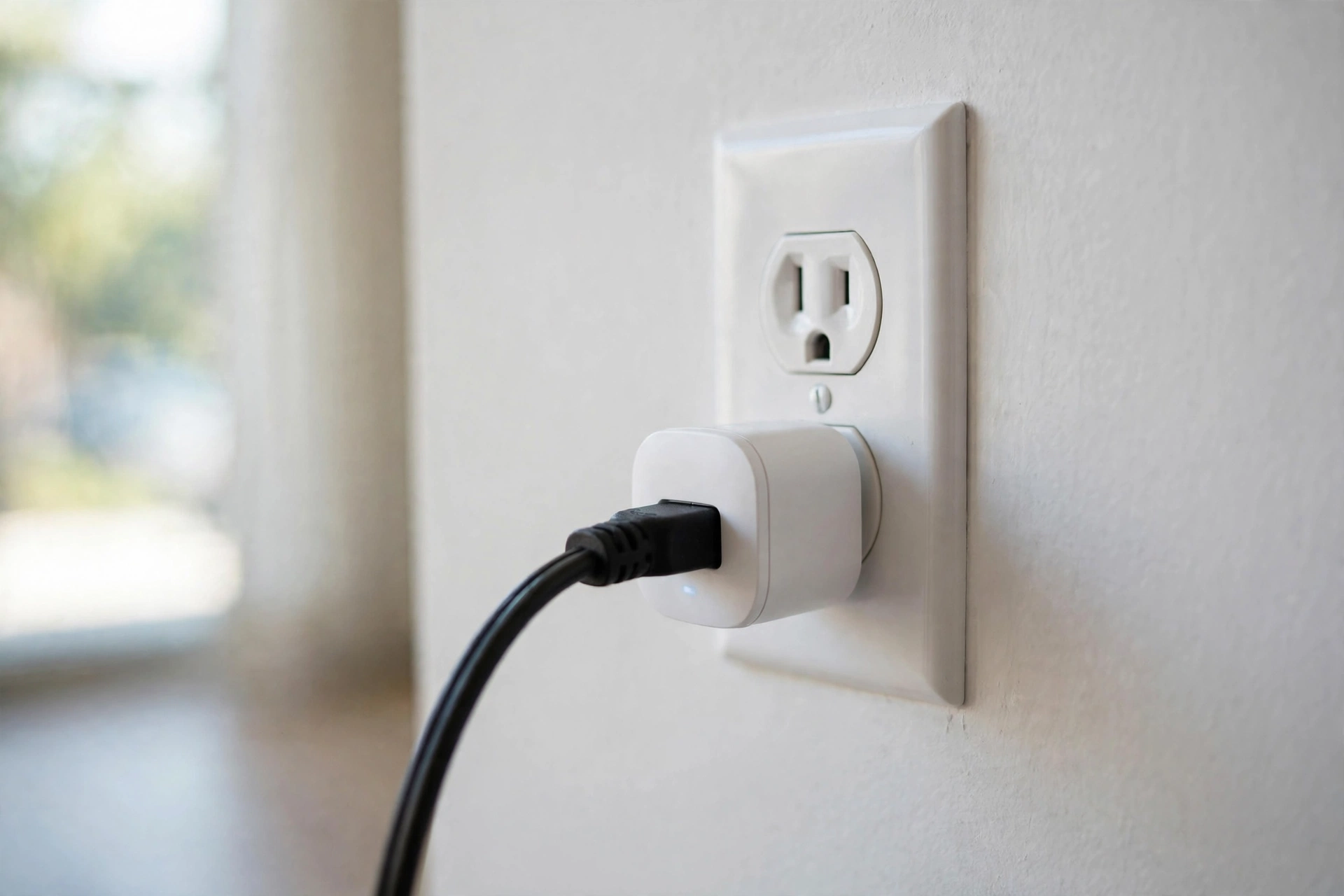
It fits a real apartment outlet. Most rentals have duplex outlets, two sockets stacked in one plate. A bulky plug eats both. Look for a compact body that leaves the second socket free for your charger or another plug. This one detail matters more in apartments than anywhere else, because you never have enough outlets.
Phone and voice control, no hub required. The good ones work straight from an app over Wi-Fi, with scheduling built in. Most also answer to Alexa or Google Assistant, and some work with Apple Home. Check which assistants a plug supports before you buy, because they are not all the same. And if your household mixes iPhones and Androids, or you have roommates on different platforms, Matter support lets one plug answer to everybody.
It respects your electrical limits. In the US, most plugs and outlets are rated for 15 amps at 120 volts. That number is a ceiling, not a challenge. Always check the appliance you plan to connect and follow both manufacturers’ instructions. We cover exactly what never to plug in further down.
It keeps you out of lease trouble. A plug-in device makes no permanent change to the apartment, which is why landlords almost never object to them. That said, a plug does not override your lease or building rules, so if your building has policies about high-draw appliances, those still apply.
No subscriptions, ever. Unlike security cameras, no smart plug charges a monthly fee. You buy it once and it works. Renters burned by camera subscriptions will appreciate that.
That is the checklist. Now let us see which plugs actually pass it.
Our Top Picks for Renters (2026)
| Smart Plug | Best For | Energy Monitoring | Matter | Approx. Price |
|---|---|---|---|---|
| TP-Link Kasa EP25 | Most renters | Yes, in the Kasa app | No | ~$25 to $30 (2-pack) |
| TP-Link Kasa KP125M | Matter and mixed ecosystems | Yes | Yes | ~$30 |
| TP-Link Tapo P125M | Budget Matter pick | No | Yes | ~$20 |
| Wyze Smart Plug | Tight budgets | No | No | ~$20 (2-pack) |
| Amazon Smart Plug | Alexa-only homes | No | No | ~$25 |
Prices change often, so check the current price before you buy.
Detailed Reviews
TP-Link Kasa EP25: Best Overall
The EP25 is the safest recommendation for most renters. It is slim enough to leave the second outlet free, tracks energy use in the Kasa app, and works with Alexa, Google Assistant, and Apple Home without a hub. Setup takes a few minutes on 2.4 GHz Wi-Fi. It is rated for 15 amps, like most US plugs, so check your appliance before connecting anything heavy.
One note: the EP25 is not a Matter plug. If everyone in your home lives inside Apple Home, or you want one plug that answers to every platform, look at the KP125M below.
Pros:
- Compact, duplex-friendly design
- Energy monitoring in the app
- Works with all three major voice assistants, no hub
Cons:
- No Matter support
- Needs 2.4 GHz Wi-Fi for setup
- Kasa app account required
TP-Link Kasa KP125M: Best for Matter
The KP125M is the EP25’s smarter sibling. You get the same slim shape and energy monitoring, plus Matter certification (see TP-Link’s official KP125M specifications). That matters in shared apartments: one plug can answer to Alexa in one roommate’s room and Apple Home in another’s, with nobody forced onto the same app.
It costs a few dollars more than the EP25. Worth it if your household mixes platforms.
Pros:
- Matter-certified, with energy monitoring
- Slim, duplex-friendly build
- Great for roommates on different platforms
Cons:
- Pricier than the EP25
- Still needs 2.4 GHz Wi-Fi for setup
TP-Link Tapo P125M: Best Budget Matter Pick
The cheapest way to get a genuine Matter plug. The P125M is small, simple, and handles the basics well: schedules, timers, and voice control through Matter. The tradeoff is the Tapo app instead of Kasa, and no energy monitoring. If you do not care about tracking watts, this is the value pick.
Pros:
- Lowest-priced Matter plug
- Compact design
- Simple schedules and timers
Cons:
- No energy monitoring
- Uses the Tapo app, not Kasa
Wyze Smart Plug: Best Budget
Wyze keeps it simple and cheap. The two-pack covers two lamps for around twenty dollars, with Alexa and Google Assistant support and no hub. There is no energy monitoring and no Matter, but for basic on/off schedules in a bedroom or living room, that is all most renters need.
Pros:
- Very affordable, especially as a 2-pack
- Easy setup, no hub
- Reliable basic scheduling
Cons:
- No energy monitoring
- No Matter, no Apple Home
Amazon Smart Plug: Best for Alexa Households
If your apartment already runs on Alexa, this is the path of least resistance. Setup happens inside the Alexa app in about a minute, and voice control just works. The catch: it only speaks Alexa. No Google, no Apple Home, no Matter, no energy monitoring. Fine as a dedicated Alexa accessory, wrong as your only plug in a mixed household.
Pros:
- Easiest setup for Alexa users
- Compact and reliable
Cons:
- Alexa-only, nothing else
- No energy monitoring or Matter
Also consider: the Eve Energy is the privacy-first splurge. It runs Matter over Thread with local processing, so your schedules keep working even if the internet drops, and there is no cloud account sitting in the middle. It costs more and leans Apple, but renters who care about privacy should know it exists.
What to Actually Automate in a Rental
A smart plug is only as useful as what you plug into it. Here are the automations that earn their keep in a rental.
Lamps on sunset schedules. This is the number one use case. Plug in your living room and bedroom lamps, set them to turn on at sunset and off at bedtime. You stop coming home to a dark apartment, and you stop paying to light empty rooms all evening.
A fan or humidifier. A plug with a timer can run a fan for an hour after you fall asleep instead of all night. But first, do the power-restore test: unplug the appliance while it is running, plug it back in, and see if it restarts on its own. If it needs you to press a button, a smart plug cannot help. Many modern appliances with electronic controls fail this test.
A simple coffee maker. The old-school kind with a physical on/off switch works beautifully. Set it to start brewing ten minutes before your alarm. The fancy kind with a touchscreen and twelve settings will just sit there blinking. Same power-restore rule applies.
Holiday lights. String lights go up in December and come down in January. A smart plug gives them a schedule without you crawling behind the tree every night. In January, the plug goes back in the drawer until next year.
Away-mode lighting. When you travel, set a lamp or two to turn on and off at slightly varied times. It makes the apartment look lived in. Pair this with a camera pointing at the entryway and you have a basic security setup with zero installation.
The roommate split. In a shared apartment, put the living room lamp on a plug everyone can control through Matter or a shared app account. No arguments about who left the light on, and the electric bill stays honest.
Start with one plug and one lamp. You will know within a week whether you want more.
What NOT to Plug In
This section matters more than the picks above. A smart plug is safe with lamps and phone chargers. It is dangerous with the wrong appliance, and in a rental, the consequences land on your deposit and your liability.
Space heaters, ACs, and hot plates. Heating and cooling appliances draw heavy, sustained current. A smart plug is not designed to babysit them. Unless both the plug maker and the appliance maker explicitly approve it, do not do it. A melted plug in someone else’s building is a nightmare you do not want.
The 15-amp myth. Your plug says 15A. Your heater says 15A. That does not make them a safe pair. The rating is a maximum, not a recommendation, and running any high-draw appliance unattended through a plug adds failure points. When in doubt, plug it straight into the wall.
Coffee makers and kettles with electronic controls. We mentioned the power-restore test earlier. Most modern coffee makers with touchscreens will not restart when power returns. Worse, some can behave unpredictably. If your appliance needs a button press after every power cut, keep it off the smart plug.
Anything with a safety control you would be bypassing. Tip-over switches, thermal cutoffs, and timers exist for a reason. Never use a smart plug to defeat one. And never, ever put medical equipment on a smart plug. A schedule glitch is an inconvenience for a lamp and a catastrophe for anything medical.
The renter angle: landlords and insurers notice fire damage. A plug-related incident can cost you the deposit, the lease, and far worse. Stick to low-draw devices like lamps, fans, and string lights, and this category stays the safest smart-home upgrade a renter can make.
Apartment Wi-Fi Gotchas
Smart plugs are simple devices, but apartment Wi-Fi is not always simple. Three things trip up renters.
The 2.4 GHz trap. Most plugs, including Kasa and Tapo, only talk to 2.4 GHz Wi-Fi during setup. Many modern routers combine 2.4 and 5 GHz under one network name, and your phone may hop onto 5 GHz mid-setup and break the pairing. The fix is boring but reliable: stand near the plug, and if setup keeps failing, temporarily split the bands in your router settings or move your phone closer to the router until pairing finishes. After that, it just works.
Shared building Wi-Fi. Some apartment buildings provide Wi-Fi with a captive portal, the page that makes you click “I agree” before connecting. Smart plugs cannot click through that page. Others use client isolation, which stops devices on the same network from talking to each other, breaking app control. If your building Wi-Fi works like this, get your own router. It is the single best upgrade for any smart home in a rental, and it solves this whole category of problems.
The moving-day trick. Here is a renter superpower: when you move, name your new Wi-Fi network and password exactly the same as the old one. Your plugs will reconnect on their own, no factory resets, no re-pairing. It feels like magic the first time it works.
Do You Need Your Landlord’s Permission?
Short answer: no. A smart plug is a plug-in device, not a modification. You are not drilling, wiring, or changing anything about the apartment. It is legally closer to a phone charger than a renovation, and no lease we have seen treats phone chargers as alterations.
That is exactly why plugs are the safest smart-home category for renters. Cameras need mounting. Doorbells need brackets. Thermostats need wiring. A plug needs an outlet, and your lease already assumes you will use those.
The one exception: read your lease’s section on high-draw appliances. Some buildings restrict space heaters or set rules about what can run unattended. Those rules are about the appliance, not the plug, but they still apply to you. If your lease bans space heaters, a smart plug does not un-ban them.
If you want extra peace of mind, you can mention it to your landlord in one sentence. Most will shrug. But permission is not required, and that is the point. This is the rare upgrade you can make on a Friday night without telling anyone.
Moving Out: The 5-Minute Reset Checklist
Renters move. Smart plugs are built for it. Run through this checklist on moving day and nothing gets left behind, digitally or physically.
1. Factory reset each plug in its app. Open the app, find the device settings, and choose the factory reset or remove option. This wipes your Wi-Fi credentials and schedules off the plug. Do not skip this. A plug that still remembers your old network is a small privacy leak in someone else’s apartment.
2. Remove them from your smart-home apps. If the plug was linked to Alexa, Google Home, or Apple Home, delete it there too. Otherwise you will spend your first week in the new place talking to a plug that no longer exists.
3. Pull them out of the wall. This is the satisfying part. No patching, no spackle, no landlord walkthrough anxiety. Just unplug.
4. Pack them with the lamps. Keep each plug with the lamp or device it controlled. Future you will be grateful during the chaos of unpacking.
5. Reuse your Wi-Fi name at the next place. Set the new router to the same network name and password. If you did the factory reset in step one, you will pair fresh in about a minute per plug. If you skipped it and kept the same network name, they may just reconnect on their own.
Five minutes now saves an hour of confusion later.
5 Mistakes Renters Make When Buying Smart Plugs
1. Buying a 4-pack with no plan. A four-pack looks like a deal until three plugs sit in a drawer for a year. Start with one or two. Automate a lamp, live with it for a week, then decide what else deserves one.
2. Blocking the second outlet. A cheap bulky plug eats both sockets of a duplex outlet, and apartments never have outlets to spare. Measure or check the dimensions before ordering. Slim plugs like the EP25 exist precisely because of this problem.
3. Ignoring the model number. TP-Link alone sells plugs that look identical but differ on Matter support and energy monitoring. EP25, KP125, KP125M, P125, P125M: one letter changes everything. Double-check the exact model before you click buy, or you will own the wrong variant.
4. Assuming the coffee maker will auto-start. If your appliance has electronic controls, cutting and restoring power does nothing until you press the button. Do the power-restore test from the automation section before you plan your whole morning around it.
5. Skipping the Wi-Fi test. That far bedroom corner with one bar of signal is where setups go to die. Plug in where the Wi-Fi is solid, or at least test the spot with your phone first. A plug that cannot reach the router is just an expensive outlet cover.
FAQs
Do smart plugs work without WiFi?
Mostly no. The plug needs WiFi for app control, schedules set in the cloud, and voice commands. Some plugs keep running their saved schedules during a short outage, but you cannot change anything until the connection returns. If your internet drops often, look for Matter over Thread plugs like the Eve Energy, which handle more locally.
Will using a smart plug violate my lease?
Almost certainly not. A device that just plugs in changes nothing about the apartment, so leases have nothing to object to. The only thing to check is your lease’s rules on appliances that draw a lot of power like space heaters. Those rules are about the appliance, not the plug.
Can I take my smart plugs with me when I move?
Yes, that is the whole point. Factory reset each plug in its app, pull it out of the wall, and pack it. At the next apartment, set your WiFi to the same name and password and most plugs reconnect on their own.
Do I need a hub or a smart speaker to use a smart plug?
No. Every plug in this guide works from a phone app over WiFi with no hub. A smart speaker only adds voice control, which is optional. Buy the speaker later if you want it, not because the plug demands it.
Is it safe to plug a space heater into a smart plug?
No, do not do it. Space heaters draw heavy sustained current, and a smart plug is not built to manage that safely. The same goes for ACs and hot plates. Keep plugs to low power devices like lamps, fans, and string lights.
Do smart plugs actually lower the electric bill?
They can trim waste, not perform miracles. Schedules stop you from lighting empty rooms or running a fan all night, and energy monitoring shows you which devices are the hungriest. But nobody can promise a specific dollar amount, so treat any savings claim with suspicion.
The Bottom Line
If you buy one smart-home device as a renter, make it a smart plug. Nothing else gives you this much convenience for this little money, with zero risk to your deposit.
Get the Kasa EP25 if you want the safe all-rounder. Get the KP125M if your household mixes Alexa, Google, and Apple. Get the Tapo P125M if every dollar counts. Whatever you choose, keep it to lamps and small devices, respect the 15-amp ceiling, and enjoy the rare upgrade that moves when you do.