Best Smart Thermostats for Renters (2026): 7 Picks for Apartments
Your apartment is freezing in the morning, roasting by the afternoon, and your landlord isn’t exactly rushing to upgrade the thermostat. A smart thermostat could make your space more comfortable and help you manage heating and cooling costs. But renting comes with a few extra complications.
Before buying one, you need to know whether your HVAC system is compatible, whether your apartment has a C-wire, and whether your landlord will allow you to replace the existing thermostat. Some apartments have central HVAC systems that work with conventional smart thermostats. Others use electric baseboard heaters, ductless mini-splits, or window air conditioners that require a completely different approach.
The good news is that there are smart temperature control options for many rental situations. The trick is choosing one that works with your existing equipment and can be removed when your lease ends. Our renter-friendly smart home starter guide covers the same ground rules for every device in your apartment, and this guide applies them to thermostats.
Quick Summary: Which Smart Thermostat Should Renters Choose?
The best smart thermostat for a renter depends on the heating system and wiring in the apartment. For most rentals with central heating and cooling, the Google Nest Thermostat is the strongest all-round choice, and it works without a C-wire in many homes. If your system has no C-wire, the Ecobee Essential with its separately bought Power Extender Kit solves the problem, and the Ecobee Enhanced adds room sensors if your bedroom runs hotter or colder than the rest of the apartment.
For apartments without central HVAC, the answer is a different device entirely. The Mysa Baseboard Gen3 fits electric baseboard heat, and the Mysa Mini-Split controls ductless systems and window air conditioners without any wiring at all. Whatever you buy, check compatibility first and get your landlord’s written permission before you touch the wiring.
How to Choose a Smart Thermostat for a Rental
Choosing a smart thermostat for an apartment is not quite the same as choosing one for a house you own. You need to consider your heating system, existing wiring, installation restrictions, and what happens when you move out.
Know Which Type of Heating System Your Apartment Uses
This is one of the most important steps because different heating systems require different thermostat technologies.
- Central forced-air HVAC: Often compatible with conventional smart thermostats such as Nest, Ecobee, and Sensi.
- Electric baseboard heaters: Usually require a compatible line-voltage thermostat such as Mysa Baseboard Gen3.
- Ductless mini-splits: May work with a compatible infrared-based smart controller such as Mysa Mini-Split.
- Radiator heating: Compatibility depends on whether your apartment uses individual radiator valves, central boiler controls, or another system.
- Window air conditioners: Often better suited to smart plugs, compatible sensors, or infrared controllers rather than a conventional HVAC thermostat.
Do not purchase a low-voltage thermostat for a line-voltage electric baseboard system. These systems operate differently and require equipment designed for the correct electrical load.
Ask Your Landlord Before Installation
Even if your thermostat can technically be installed, your lease or property management rules may prohibit replacing the existing device.
Ask your landlord whether you can install a smart thermostat, explain that you intend to preserve the original equipment, and confirm whether professional installation is required. Our guide on getting landlord permission for smart home devices walks through the same conversation step by step (it uses a smart lock as the example, but the permission process is the same for a thermostat). If you want the words ready to send, our free permission letter generator writes the request for you.
Keep the original thermostat in a labeled box. You may need it when you move out.
Choose a Reversible Installation
Renters should prioritize installations that do not require drilling new holes, cutting wires, modifying HVAC equipment, or making permanent changes to the apartment.
Before installation, photograph the existing thermostat and its wiring. Keep all original parts and mounting hardware together.
If the installation requires new wiring or modifications to the heating system, stop and consult your landlord or a qualified professional.
The C-Wire Check: Do This Before You Buy Anything
The C-wire, or common wire, provides continuous power to a thermostat. Many older apartments do not have one connected, and it is the number one reason a smart thermostat install fails. Check for it before you order anything.
Here is how to start checking:
- Take a photo of your existing thermostat before touching anything.
- Check the manufacturer’s instructions for safely removing the thermostat’s front cover.
- Look at the terminal labels behind the cover.
- Check whether a wire is connected to a terminal marked C.
- Use the manufacturer’s compatibility checker to determine whether your system supports the thermostat.
Important: Do not assume the blue wire is always the C-wire. Wire colors can vary between installations. The terminal label and wiring configuration matter more than the color.
Never disconnect wires or work on HVAC wiring without following the manufacturer’s safety instructions. If you are unsure about the wiring, ask a qualified HVAC technician or your landlord’s maintenance team.
7 Best Smart Thermostats for Renters and Apartments
These seven options cover different apartment heating systems and budgets. The best choice depends on compatibility, not simply which thermostat has the most features.
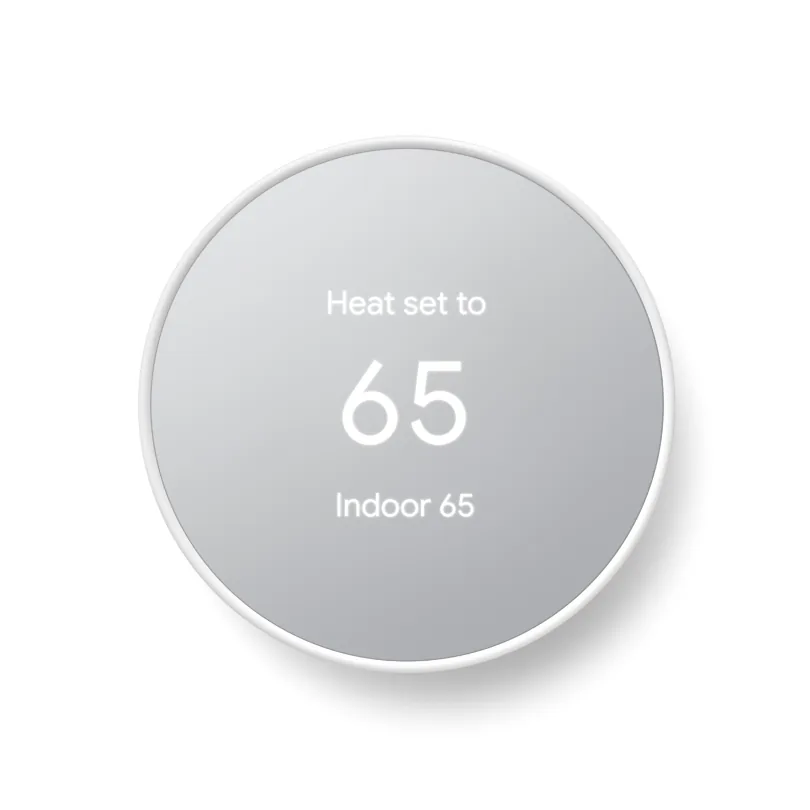
1. Google Nest Thermostat (2020): Best Overall
Price: $129.99
Best for Renters with compatible central heating and cooling systems who want straightforward smart temperature control.
The Google Nest Thermostat is a practical starting point for renters who have conventional central HVAC. It offers remote temperature control, scheduling, energy-saving features, and integration with the Google Home ecosystem.
Its simple design and relatively accessible price make it attractive for apartment residents who do not need every premium feature available in more expensive thermostats.
What stands out
- Remote temperature adjustments through the Google Home app.
- Scheduling and energy-saving temperature controls.
- Modern design without an overly complicated interface.
- Compatibility with many conventional HVAC systems.
C-wire compatibility
The Nest Thermostat can work without a C-wire in many installations, but not all. Google identifies some systems that require a C-wire or Nest Power Connector, including certain heating-only, cooling-only, zone-controlled, and heat pump setups.
Check the compatibility tool before purchasing. A thermostat that initially powers on may still experience power problems if the HVAC system cannot supply sufficient power.
One limit to know: this model does not work with the Nest Temperature Sensor. If your bedroom runs hot or cold while the hallway feels fine, the Ecobee Enhanced below is the better pick.
Rental tip: Take photos of the existing wiring and keep the original thermostat before installation.
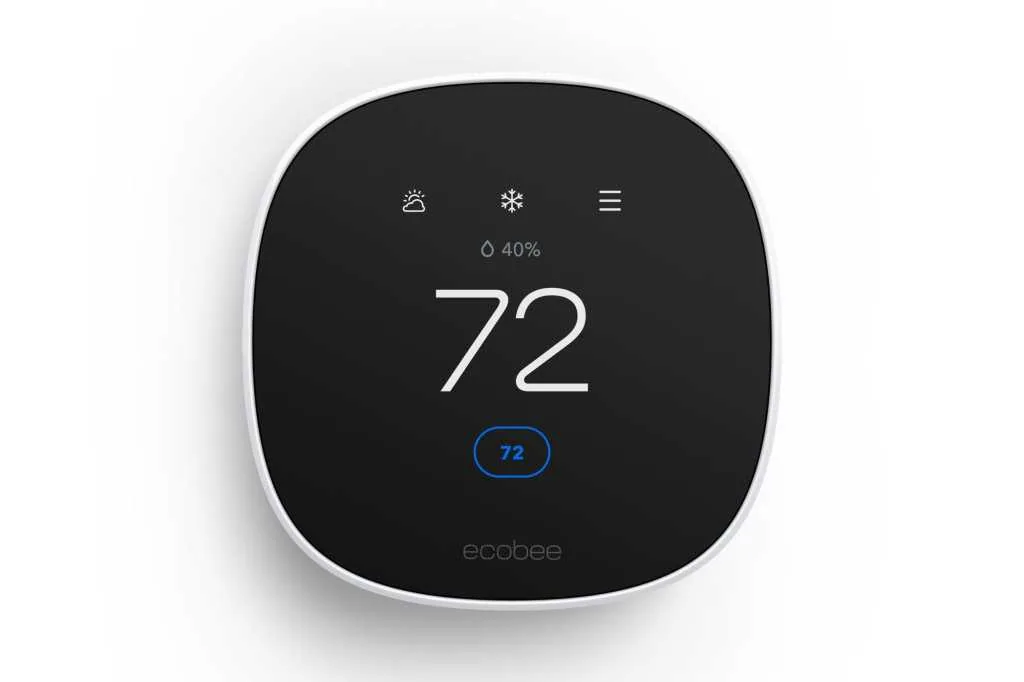
2. Ecobee Smart Thermostat Essential + Power Extender Kit: Best Without a C-Wire
Price: $164.98 total, based on $139.99 for the thermostat and $24.99 for the Power Extender Kit
Best for Renters with compatible conventional HVAC systems that lack a C-wire.
The Ecobee Smart Thermostat Essential is a straightforward smart thermostat with scheduling, app-based control, and smart home integration.
Its main advantage for renters is that Ecobee offers a Power Extender Kit, or PEK, for compatible installations without a C-wire.
However, there is an important detail: the Power Extender Kit is sold separately with the Essential model. Do not assume it comes in the standard box. Budget for both pieces.
What stands out
- Remote control and scheduling.
- Compatibility with major smart home platforms.
- A manufacturer-supported C-wire alternative for compatible systems.
- Useful features without paying for the most expensive Ecobee model.
C-wire compatibility
The Essential normally uses C and R terminals for power. If your system lacks a C-wire, Ecobee’s separately purchased PEK may provide a solution.
Compatibility matters. The PEK is not suitable for every HVAC configuration, including certain heat-only and dual-transformer systems.
Check the official compatibility information before buying the thermostat and adapter together.
Rental tip: The PEK installation may involve connections at the HVAC control board. Ask your landlord or HVAC technician to handle it if you are not authorized to access the equipment.
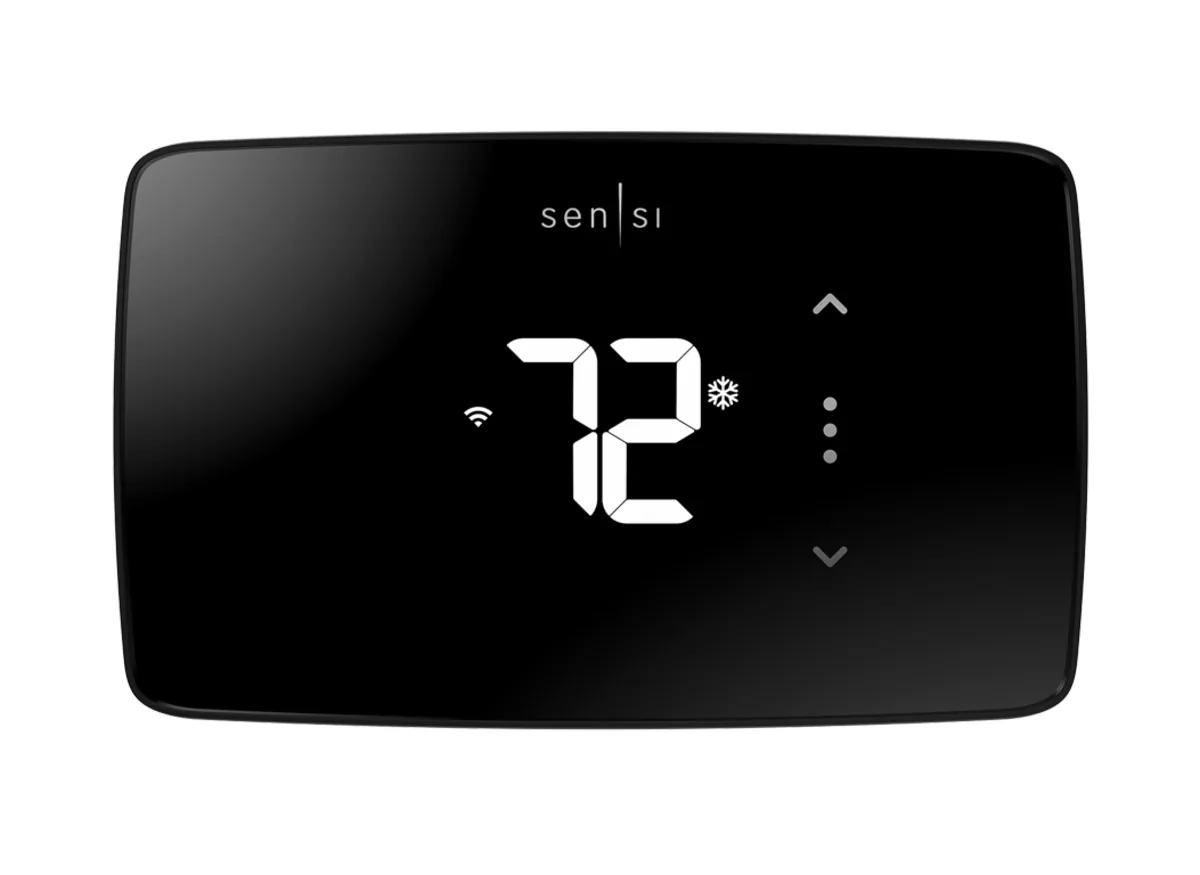
3. Sensi Lite Smart Thermostat: Best Budget Pick
Price: $89.99
Best for Budget-conscious renters with compatible conventional heating and cooling systems.
The Sensi Lite is designed to provide essential smart thermostat functionality without the higher price of premium models.
It offers app-based control, scheduling, and energy-saving features while keeping the overall installation relatively straightforward for compatible systems.
What stands out
- Lower purchase price than many premium smart thermostats.
- Remote temperature control.
- Scheduling and smart home functionality.
- C-wire-free installation for many conventional HVAC systems.
C-wire compatibility
Sensi Lite works without a C-wire on most conventional heating and cooling systems, but exceptions apply.
A C-wire is required for heat pumps, heat-only systems, and cool-only systems. Check the manufacturer’s compatibility chart for your exact setup.
Rental tip: If you are trying to minimize your upfront cost, confirm compatibility before purchasing. An inexpensive thermostat is not a bargain if your apartment needs additional wiring work.
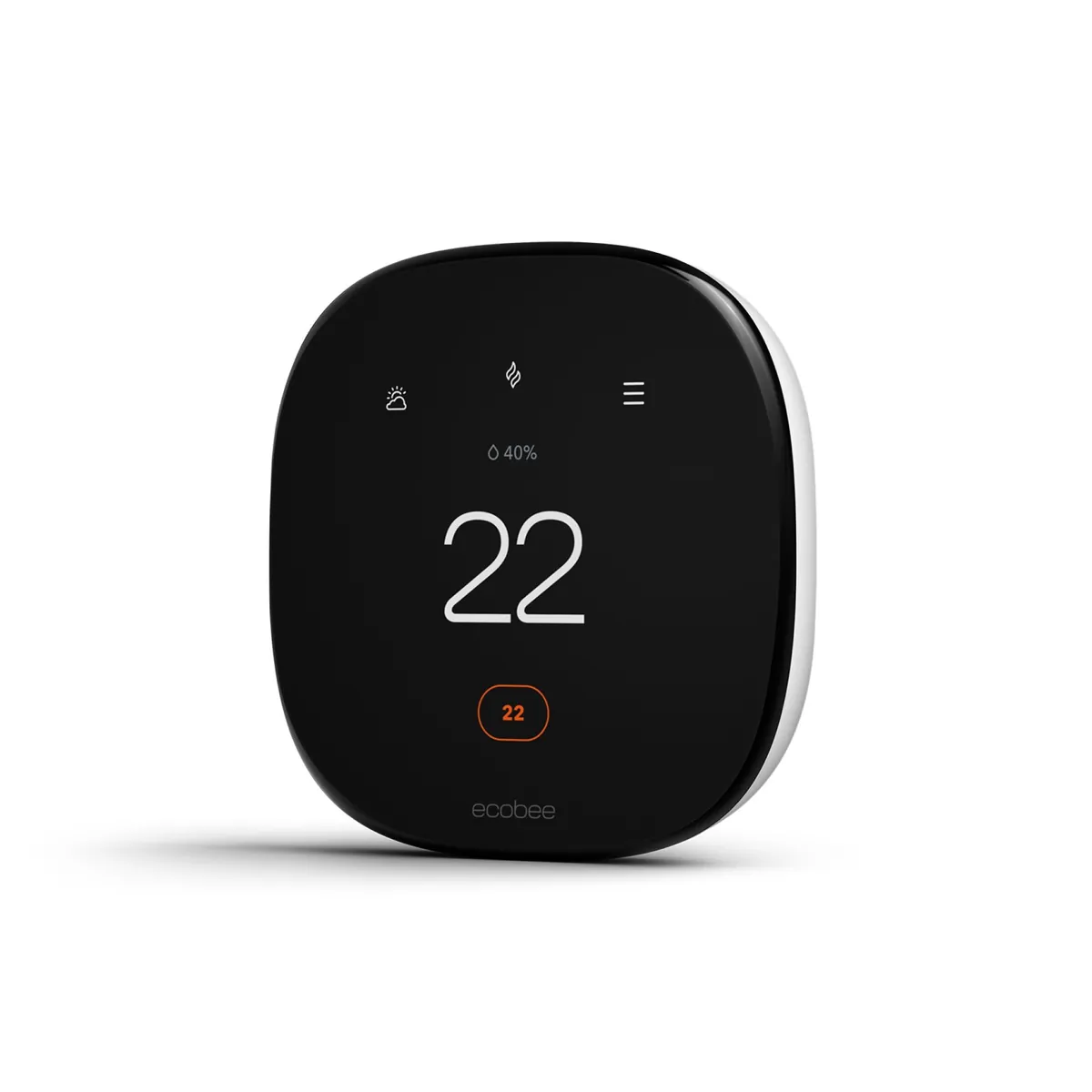
4. Ecobee Smart Thermostat Enhanced: Best for Uneven Temperatures
Price: $199.99
Best for Renters with compatible HVAC systems who want better temperature monitoring in different rooms.
Some apartments have an annoying problem: the living room feels comfortable while the bedroom is too hot or too cold.
The Ecobee Smart Thermostat Enhanced is designed to address this problem through smart temperature management and compatible room sensors.
Room sensors can help Ecobee account for temperature differences in selected areas of your home. This is especially useful when your thermostat is located in a hallway or another room that does not reflect your actual comfort needs. The sensors are sold separately, and they are portable, so you can take them with you when you move.
What stands out
- Room-sensor compatibility.
- Remote temperature adjustments.
- Scheduling and smart home integration.
- Power Extender Kit included for compatible installations.
C-wire compatibility
Ecobee Enhanced includes a Power Extender Kit for compatible systems without a C-wire, so unlike the Essential, you do not need to buy the adapter separately.
However, the PEK does not make every HVAC system compatible. Check the wiring requirements and installation instructions before purchasing.
Rental tip: A room sensor is a portable accessory, so you can take it with you when you move. The thermostat installation itself still requires landlord approval.
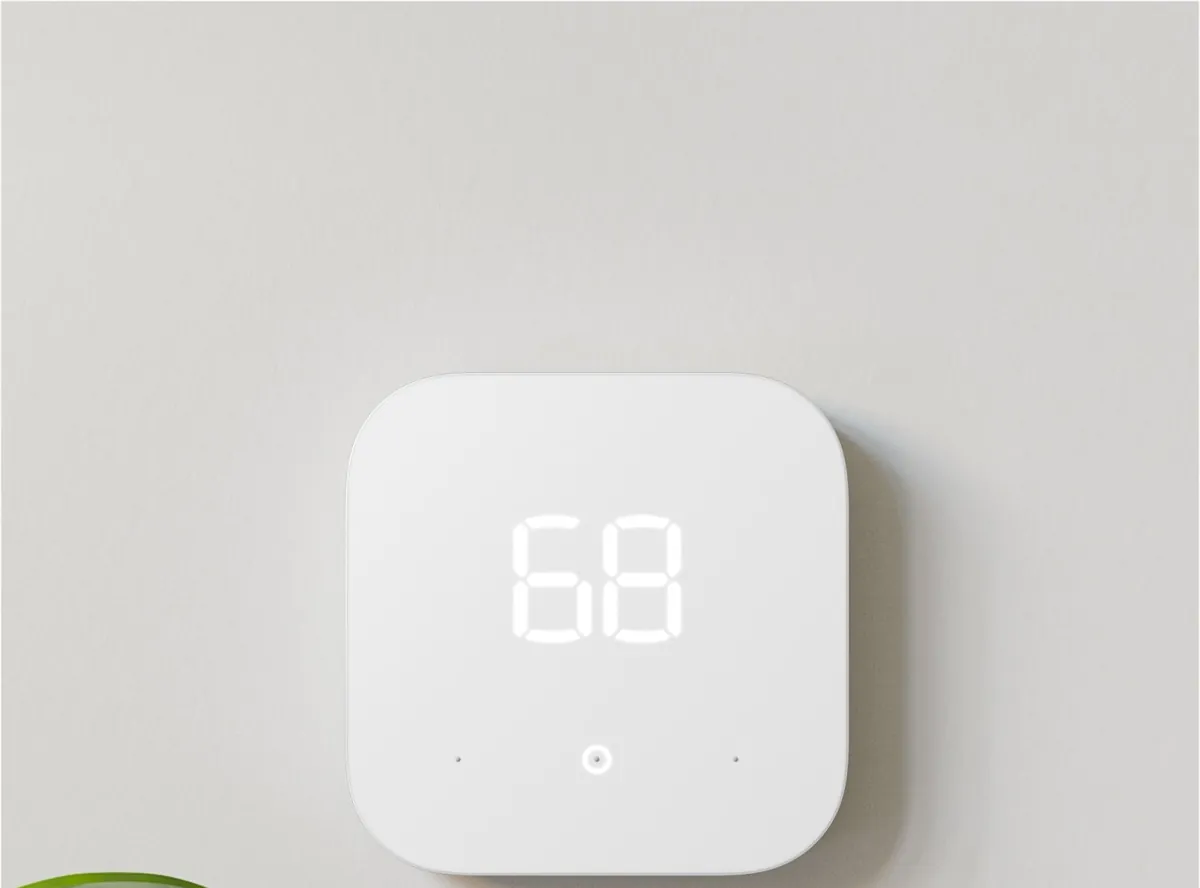
5. Amazon Smart Thermostat: Best for Alexa Homes
Price: $79.99
Best for Renters who already use Alexa and have compatible central HVAC.
The Amazon Smart Thermostat offers a relatively affordable way to add smart temperature control to a compatible heating and cooling system.
It supports scheduling, remote temperature adjustments, and Alexa-based controls. If you already use Echo devices or the Alexa app, it can fit naturally into your existing smart home setup.
What stands out
- Relatively affordable purchase price.
- Alexa integration.
- Remote temperature adjustments.
- Scheduling and energy monitoring features.
C-wire compatibility
The Amazon Smart Thermostat requires a C-wire or a compatible C-wire adapter. The adapter is not included in the standard thermostat package. A bundle with the adapter costs a few dollars more than the thermostat alone, and a standalone adapter runs about $25.
Amazon also warns that the thermostat is not compatible with every HVAC configuration, including certain dual-fuel systems.
Rental tip: If you use Google Home or Apple Home as your primary smart home platform, check compatibility carefully before buying. This thermostat is primarily designed around Alexa, with no Google Home, Apple HomeKit, or Matter support.
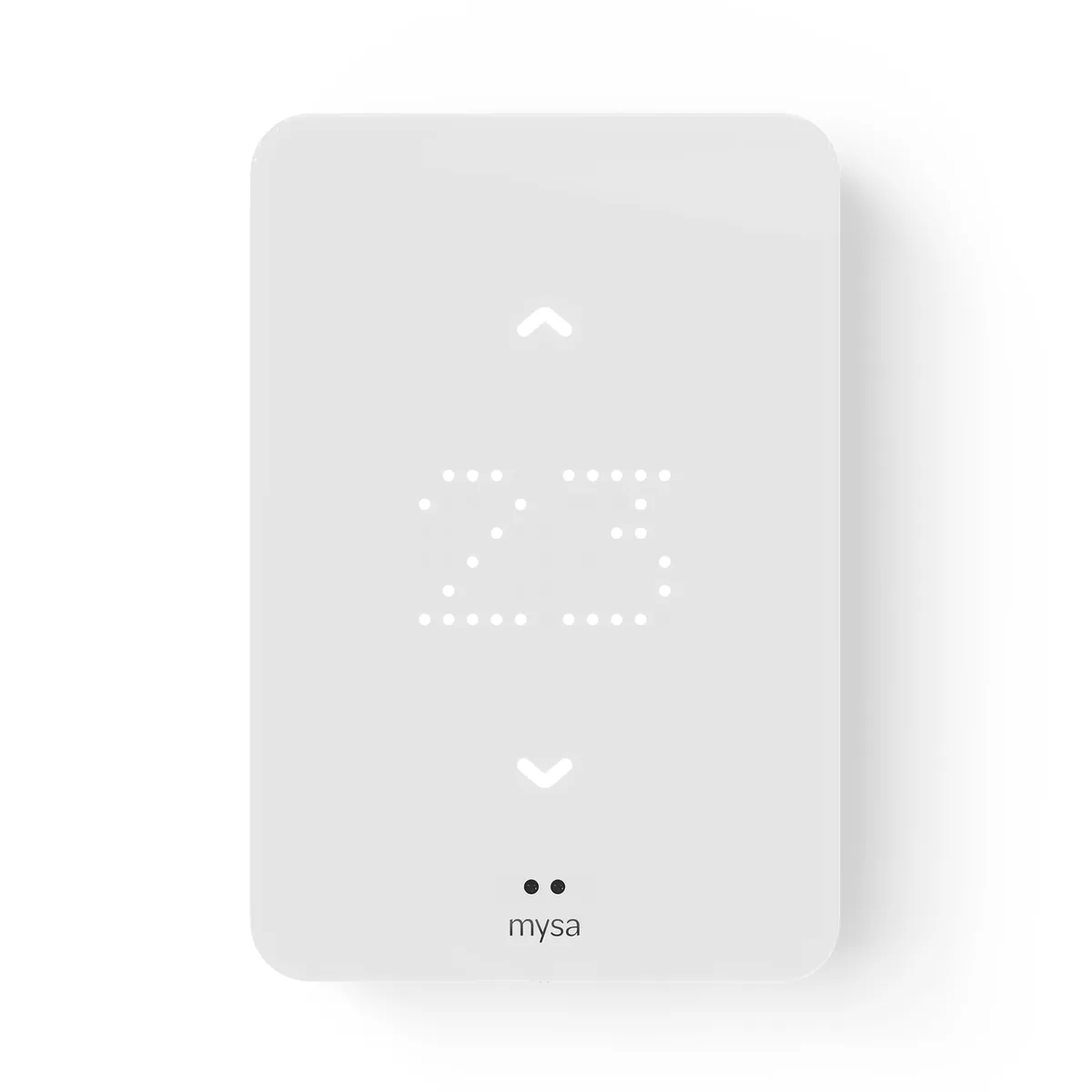
6. Mysa Baseboard Thermostat Gen3: Best for Electric Baseboard Heat
Price: $129
Best for Apartments heated by compatible electric baseboard heaters.
Not every apartment has central HVAC. In many rentals, electric baseboard heaters provide the primary heating source.
That is where Mysa Baseboard Gen3 comes in. Unlike conventional thermostats, it is a line-voltage thermostat built for high-voltage electric heat. It replaces the thermostat that controls your baseboard heaters, and it brings app control, scheduling, and smart home integration to a heating system that most smart thermostats cannot touch.
The Gen3 is the current model, with Matter certification, and shipping begins November 25, 2026. It works with electric baseboard heaters, fan-forced convectors, radiant ceiling heat, and compatible hydronic baseboards, up to 2,000 watts at 120 volts or 4,000 watts at 240 volts.
What stands out
- App control and scheduling for electric baseboard heat.
- Matter, Alexa, Google Home, and Apple HomeKit support.
- No subscription for any smart features.
- Energy insights in the free Mysa app.
Compatibility limits
Mysa Baseboard Gen3 is for high-voltage electric heat only. It does not work with 24-volt central HVAC, millivolt systems, central hydronic heating, or in-floor heating, which has its own separate Mysa model. It needs a neutral or second line wire and a three or four wire setup, so check your baseboard wiring before ordering.
Rental tip: Baseboard thermostats are wired into mains voltage. If you are not comfortable working with line-voltage wiring, ask your landlord’s maintenance team or a licensed electrician to install it.
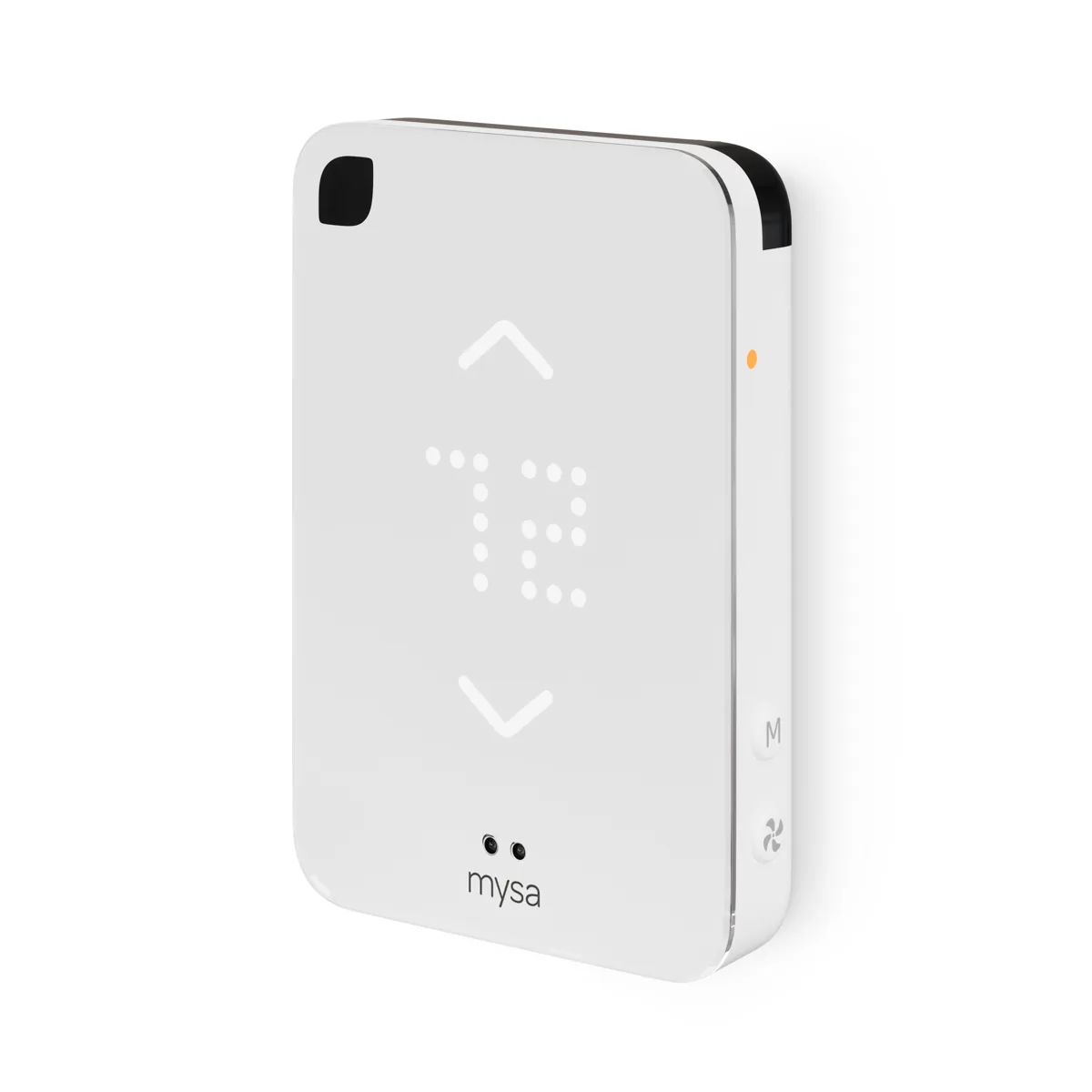
7. Mysa for Ductless Mini-Split Heat Pumps: Best for Mini-Splits
Price: $139
Best for Apartments with a ductless mini-split, window air conditioner, or portable air conditioner.
If your apartment is cooled by a ductless mini-split on the wall, you cannot install a conventional thermostat at all. The mini-split has its own remote, and that remote is usually infrared.
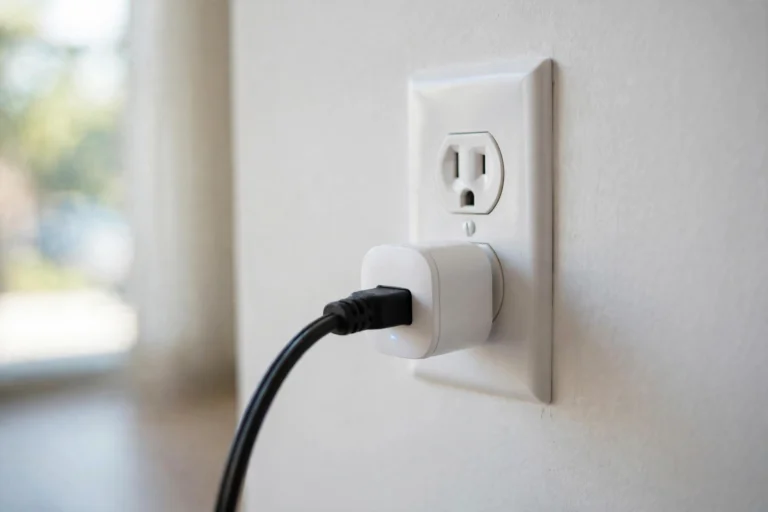
Mysa for Mini-Splits solves this without touching any wiring. It plugs into a standard wall outlet, pairs with your existing remote, and then controls the unit over infrared. Setup takes about ten minutes, and there is nothing to uninstall when you move out except unplugging it.
It also works with window air conditioners and portable air conditioners that use an infrared remote, which makes it the most flexible pick on this list for apartments without central HVAC.
What stands out
- Zero wiring: it plugs into a wall outlet.
- Works with ductless mini-splits, window AC, and portable AC.
- Apple HomeKit, Alexa, and Google Home support.
- No subscription for any smart features, with a five-year warranty.
Compatibility limits
The controller needs a clear infrared line of sight to the mini-split or air conditioner, and it only works with units that use an infrared remote. If your unit has no remote or uses a wired wall controller, this is not the right device.
Rental tip: This is the easiest thermostat on this list to take with you. Unplug it, pack it, and plug it in at the next apartment.
What If Your Apartment Has No Central HVAC?
A large share of rentals has no central heating and cooling at all, and a conventional smart thermostat is the wrong tool for those homes. Match the device to the system you actually have.
Electric baseboard heat takes the Mysa Baseboard Gen3 from pick 6. A ductless mini-split, window air conditioner, or portable air conditioner takes the Mysa Mini-Split from pick 7. Radiator heat depends on the setup: individual radiator valves may work with smart radiator valves, while a central boiler usually leaves you with no thermostat to replace, in which case a smart plug on a space heater or fan is the practical fallback. Our energy cost calculator can show you what that space heater actually costs to run.
Do You Need Landlord Permission?
Check your lease and obtain written approval before replacing the thermostat. A thermostat is wired into the apartment’s heating system, so most landlords treat replacing it as a modification, even when the install is reversible, but your lease and your landlord’s rules decide. Ask first, in writing, and keep the answer.
Tell your landlord three things: the install is reversible, you will keep the original thermostat and reinstall it when you move out, and you will use a qualified technician if the wiring needs anything beyond a simple swap. Our free permission letter generator turns that into a ready-to-send letter, and our guide on asking a landlord for smart home permission covers the conversation itself.
If the answer is no, do not install it anyway. A thermostat dispute is a fast way to lose a deposit, and the Mysa Mini-Split above needs no install at all, so it is the fallback when permission is refused.
How Much Can a Smart Thermostat Actually Save?
Around 10 percent on heating and cooling is the honest range, typically 8 to 15 percent. The US Environmental Protection Agency’s audited field data puts the average at 8 percent, or about $50 a year, and independent studies of Nest thermostats found 10 to 12 percent on heating and 15 percent on cooling. Individual savings are not guaranteed.
What you actually save depends on your previous thermostat habits most of all, then on your climate, how well the apartment is insulated, how efficient the HVAC system is, and whether you actually use the schedules and away modes. A smart thermostat left on a constant temperature saves nothing.
Ignore the bigger numbers on manufacturer websites. Claims of up to 23 or 26 percent come from best-case comparisons against holding a constant 72 degrees all day, which is not how most people live.
If you want to see what the savings mean in dollars, our smart home energy cost calculator lets you plug in your own devices, usage, and electricity rate.
What to Do When You Move Out
The move-out step is where renters get caught, so plan it before you install anything.
Store the original thermostat in a labeled box, with its mounting plate and screws, somewhere you will find it in a year. Photograph the original wiring and the terminal labels before you touch anything, and keep those photos on your phone. Document which wire went to which terminal, even if the labels seem obvious now.
A few weeks before you move out, reinstall the original thermostat and confirm the heating and cooling still work. If the wiring looks unfamiliar when you open it back up, or anything does not work after the swap, get professional help rather than guessing. A working original thermostat is what stands between you and a deposit deduction.
Frequently Asked Questions
Can I install a smart thermostat in my apartment?
Yes, in most apartments, if your heating system is compatible. Check three things first: your heating type, whether you have a C-wire, and your landlord’s written permission. Renter-friendly models like the Google Nest Thermostat and the Sensi Lite install without rewiring, and models like the Ecobee Essential come with a power extender kit if there is no C-wire. When you move, you reinstall the old thermostat and take the smart one with you.
Can I install a smart thermostat without my landlord’s permission?
It depends on your lease and your landlord’s rules. A thermostat is wired into the heating system, so most landlords treat replacing it as a modification even when the install is reversible. Ask in writing first. If permission is refused, the Mysa Mini-Split needs no install at all, so it is the option that does not require approval for wiring work.
What if my apartment has no C-wire?
Check first, because many apartments do have one that was never connected. If there is genuinely no C-wire, the Nest Thermostat works without one in many homes, the Ecobee Essential works with its separately bought Power Extender Kit, and the Sensi Lite works without one on most conventional systems. Heat pumps and heat-only or cool-only systems are the common exceptions, and those usually need a C-wire or an adapter.
Will a smart thermostat work with baseboard heaters?
A conventional low-voltage smart thermostat will not. Electric baseboard heaters run on line voltage and need a line-voltage thermostat such as the Mysa Baseboard Gen3. Do not wire a 24-volt thermostat to a baseboard heater.
Does a smart thermostat work if the WiFi goes down?
For basic heating and cooling, usually yes. Most of the thermostats on this list keep their schedule and still control temperature from the wall when the WiFi drops, but this varies by model, so check the manufacturer’s documentation for yours. You lose remote control, app adjustments, and voice commands until the WiFi comes back.
Do I need a hub?
No. Every pick on this list connects directly over WiFi. A hub only matters if you want to add Zigbee or Z-Wave sensors, or if you want local control without the cloud.
Will my landlord object to a smart thermostat?
Some will, usually over liability for the HVAC system or over tenants touching wiring. The objection gets weaker when you offer to keep the original thermostat, reinstall it when you move out, and use a qualified technician for anything beyond a simple swap. Put the request in writing with our free permission letter generator.